Semrush logo
  • Products

    Start Here

    • Semrush One
    • Enterprise
    • Features
    • Request a Demo
    • Talk to Sales

    Find the Right Tools

    • AI Visibility Toolkit
    • SEO Toolkit
    • Traffic & Market Toolkit
    • Content Toolkit
    • Local Toolkit
    • Social Toolkit
    • Advertising Toolkit
    • PR Toolkit

    Platform

    • Integrations
    • App Center
    • API
    • Data Sources

    Top Apps

    • AdClarity
    • Exploding Topics
    • Other apps
  • Pricing
  • Resources

    Grow with Semrush

    • Blog
    • Knowledge Base
    • Academy
    • Success Stories
    • AI Visibility Index
    • Webinars
    • News

    Explore Free Tools

    • AI Visibility Checker
    • SEO Checker
    • Website Traffic Checker
    • Keyword Tool
    • Backlink Checker
    • Top Websites by Traffic
    • Explore Other Free Tools

    About Semrush

    • About Us
    • Stats and Facts
    • Integrations
    • Affiliate Program
    • Contact us
  • Enterprise
Log InSign Up
  • News
  • Data & Insights
  • Company News
  • Product News
  • Press Kit
Search icon
Semrush logo
  • Products
  • Pricing
  • Resources
  • Enterprise
  • News
  • Data & Insights
  • Company News
  • Product News
  • Press Kit
Log InSign Up

Start Here

  • Semrush One
  • Enterprise
  • Features
  • Request a Demo
  • Talk to Sales

Find the Right Tools

  • AI Visibility Toolkit
  • SEO Toolkit
  • Traffic & Market Toolkit
  • Content Toolkit
  • Local Toolkit
  • Social Toolkit
  • Advertising Toolkit
  • PR Toolkit

Platform

  • Integrations
  • App Center
  • API
  • Data Sources

Top Apps

  • AdClarity
  • Exploding Topics

Grow with Semrush

  • Blog
  • Knowledge Base
  • Academy
  • Success Stories
  • AI Visibility Index
  • Webinars
  • News

Explore Free Tools

  • AI Visibility Checker
  • SEO Checker
  • Website Traffic Checker
  • Keyword Tool
  • Backlink Checker
  • Top Websites by Traffic
  • Explore Other Free Tools

About Semrush

  • About Us
  • Stats and Facts
  • Integrations
  • Affiliate Program
  • Contact us
Main page /Product News

Site Audit: Webpage Resources Checks

March 7, 2018
Site Audit: Webpage Resources Checks
Today we’re excited to let you know that we’ve implemented webpage resources checks into the Site Audit tool to alert you about poor status of your resources like JavaScript, CSS and images, and to advise you how to fix the issues.

Why should you be aware of these issues?

In short, they can lead to a drop in Google rankings by causing the following problems.

Indexing failure by Googlebot

Google needs to see all of your webpage resources to fully understand and properly index your page. If you block your resources for Googlebot such as CSS files, it may not know your site is even mobile.

Also, you’ll need to ensure that your page resources function properly to expect them to have any effect. Any script that has stopped running on your website, or a broken CSS or image may not only cause failure in Google indexing, but also spoil your user experience.

Low website speed

Starting from July 2018, page speed will become a ranking factor for mobile searches. Optimizing content efficiency is critical to deliver instant web experience. This is when you should take care of each and every byte on your website.

If you don’t enable caching for CSS and JavaScript files, a user’s browser will have to download them again and again when requesting your page. Other issues such as uncompressed CSS and JavaScript files also make your page load slower, which negatively affects user experience.

Taking account of all the above issues, we’ve come up with four webpage resources checks to ensure you provide a fast web experience for your users:
  • Blocked resource in robots.txt
  • Broken JavaScript and CSS files
  • Uncached JavaScript and CSS files
  • Uncompressed JavaScript and CSS files

How to check your page resources with Site Audit

First, go to your running project for which you’ve set up Site Audit. If you don’t have any, head to the tool and set it up.

Next, go to the ‘Issues’ tab and click on ‘Select an Issue’ on the right. This is where the page resources checks can be accessed if they are triggered for your website.
A.png
Let’s look in detail at each check we have at your disposal.

Blocked resource in robots.txt

This check is triggered if your webpage resources are blocked from crawling by a "Disallow" directive in your robots.txt file. Click on the check’s name to have a list of broken resources.
B.png
Check the “Why and how to fix it” section on the right to find out how to solve the issue.

Broken JavaScript and CSS files

This check is triggered if Site Audit has found broken JavaScript or CSS files hosted on your website. Click on the check’s name to get a list of broken resources and their HTTP Status codes.

C.png
To detect the other issues, you can either find the checks for them in the same ‘Select an Issue’ category or head to the ‘Overview’ tab and click on ‘Performance report’.
D.png

Uncached JavaScript and CSS files

This issue is triggered if browser caching is not specified in the response header.
E.png

Uncompressed JavaScript and CSS files

This issue is triggered if compression is not enabled in the HTTP response.
F.png
Don’t forget to hover over the ‘Why and how to fix it’ section on the right in each report to get actionable recommendations on how to deal with these issues.

Spoiler alert: we’ve started working with webpage resources more actively, and these are only the first checks in the Performance report. Stay tuned for the new handy checks and the report’s improvement!

What do you think about this update? Share your feedback and thoughts on how to improve Site Audit by dropping us an e-mail at site-audit-feedback@semrush.com.

About Semrush

Semrush is a leading online visibility management SaaS platform that enables businesses globally to run search engine optimization, pay-per-click, content, social media and competitive research campaigns and get measurable results from online marketing. Semrush offers insights and solutions for companies to build, manage, and measure campaigns across various marketing channels. Semrush, with over 91,000 paying customers, is headquartered in Boston and has offices in Philadelphia, Trevose, Austin, Dallas, Amsterdam, Barcelona, Belgrade, Berlin, Limassol, Prague, Warsaw, and Yerevan.Share

Download as

PDF
DOCX

Share

Relevant news

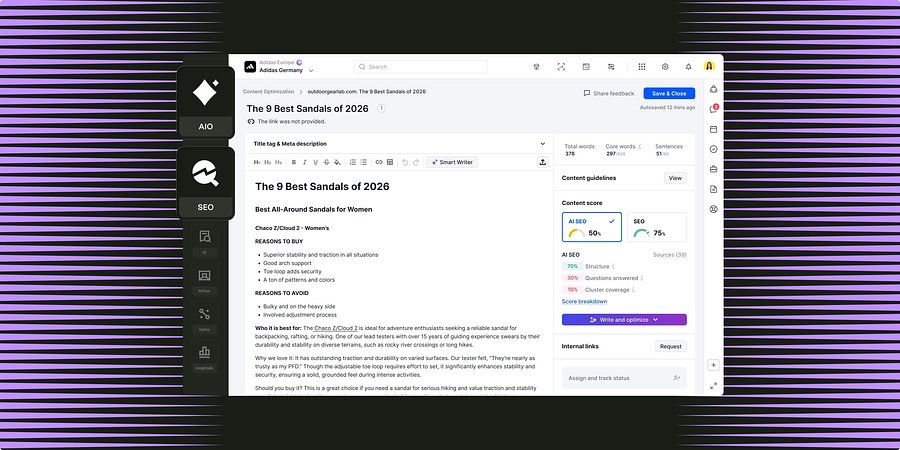
Semrush for Enterprise Unifies Content Optimization Capabilities Across SEO and AI Search

New workflows shared between Enterprise SEO and AI Optimization enable teams to grow brand visibility through high-performing content for both search channels.
Product News
May 27, 2026

Semrush Expands AI Visibility Database To 32 Countries, With 17 New Regional Markets

Global coverage expansion now provides international teams with real AI search data for previously unmeasured markets, growing the Semrush prompt database to more than 261 million LLM prompts.
Product News
May 14, 2026

Semrush Announces Partnership With Lovable, Bringing Search Intelligence Into The Building Experience

In a new partnership with Semrush, all Lovable users will have access to Semrush’s search intelligence natively inside the building experience, so founders can create projects for brand visibility and growth from the outset.
Product News
May 13, 2026

Get started with Semrush today

Try Semrush free for seven days. Cancel anytime.

Start free trial
  • Semrush One
  • Features
  • Pricing
  • Free Trial
  • Compare Semrush
  • Success Stories
  • Stats and Facts
  • Affiliate Program
  • Enterprise SEO
  • Enterprise AIO
  • Enterprise SI
  • Insights24
  • Mfour
  • App Center
  • Top Websites
  • Free Tools
  • Sensor
  • About Us
  • News
  • Careers
  • Partners
  • Semrush Select
  • Global Issues Index
  • Contact us
  • Knowledge Base
  • Academy
  • API
Community
  • Semrush Blog
  • Webinars
  • Ambassador Program
LinkedInInstagramTikTokYouTubeFacebookX
Adobe logo© 2026 Semrush Holdings. All rights reserved.
Privacy PolicyTerms of ServiceCookies Settings
Semrush